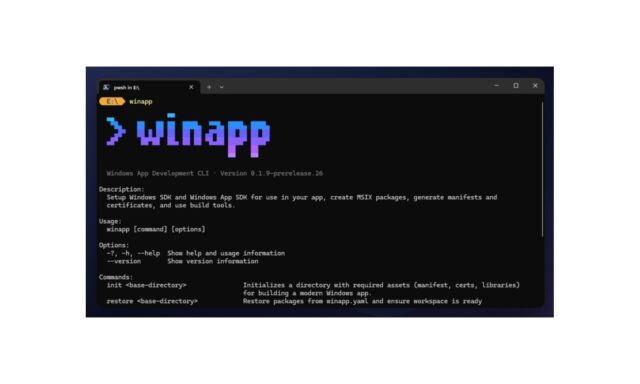
Microsoft has announced the availability of a public preview of winapp — or the Windows App Development CLI to give it its full title. The open source tool is a single command-line interface for managing Windows SDKs, packaging, generating app identity, manifests, certificates, and using build tools with any app framework.
On the face of things, this may seem like quite a niche development tool, but Microsoft envisions it fitting into numerous different types of workflow. The company says that it should simplifies integration of native Windows APIs and features, regardless of framework or language.
Announcing the launch of the public preview, Nikola Metulev – Product Manager, Windows Platform & Developer – says: “The winapp CLI is specifically tailored for cross-platform frameworks and developers working outside of Visual Studio or MSBuild. Whether you are a web developer building with Electron, a C++ veteran using CMake, or a .NET, Rust or Dart developer building apps for Windows, the CLI can streamline the complexities of Windows development – from setting up your environment to packaging for distribution. This makes it significantly easier to access modern APIs – including Windows AI APIs, security features and shell integrations – directly from any toolchain”.
He continues:
Windows development often involves managing multiple SDKs, creating and editing multiple manifests, generating certificates and navigating intricate packaging requirements. The goal of this project is to unify these tasks into a single CLI, letting you focus on building great apps rather than fighting with configuration. While the CLI is still in its early days, and there are many Windows development scenarios still in the works, we’re sharing this public preview now to learn from real usage, gather feedback and feature requests, and focus our investments on the areas that matter most to developers.
Microsoft has shared a video to highlight the capabilities of winapp:
There is no denying that this is not a tool for all developers, but for anyone working on projects that rely on automation, the command line tool is a great timersaver. Microsoft also touts Electron integration as a big advantage, saying:
For Electron developers, we have packaged the CLI as a npm package and added commands to bridge the gap between Node.js and native Windows code. The CLI can scaffold C++ or C# native addons, pre-configured to access the Windows App SDK and Windows SDK. This makes it easier than ever to integrate high-performance native features or AI capabilities like Phi Silica directly into your Electron app.We also simplify the debugging loop. With
winapp node add-electron-debug-identity, you can inject Package Identity directly into your running Electron process. This allows you to test and debug APIs that require identity (like the Windows AI APIs) just by callingnpm start. It even handles bootstrapping the Windows App SDK for you, so you can focus on your code, not the plumbing.In addition, to help validate the CLI and to simplify usage of certain APIs, we have started to leverage the CLI to build experimental NodeJS projections for APIs such as LanguageModel. Check out our @microsoft/winapp-windows-ai npm package for using Windows AI APIs directly from NodeJS.
You can head over to the winapp GitHub repository for documentation, guides and to file issues.