Almost every aspect of modern life involves the internet — from banking to shopping and socializing — so it’s essential to know if a website is safe before you click anything or submit personal information.
Unsafe websites can launch malware, steal your identity, or scam you out of money. For that reason, it’s important to know what actions you can take to make exploring the web as safe as possible.
When assessing a website, you may be tempted to rely on a single tool, but a combination will give you a more complete picture. There are several well known tools that help you check site safety, each with its particular strengths.
One of the best detection tools is Guardio, which many reviewers and technology watchers rate highly for protection and malicious site blocking. Guardio continuously scans every site you visit, compares it against databases of phishing and scam sites, and alerts you if it detects danger before you interact further.
It also monitors for malicious downloads and browser extensions and warns about identity related threats, such as data breaches.
Because it works in real time in your browser, Guardio can interrupt risky behaviour instantly and doesn’t require you to manually check individual web pages.
It has been downloaded by hundreds of thousands of users and consistently reviews well on major add-on stores.
Other tools serve similar, complementary purposes. McAfee WebAdvisor, for example, integrates with antivirus software to offer reputation based warnings for known phishing or scam sites, so you can avoid them before they load.
It also flags if a site is potentially unsafe based on third party intelligence.
There are also specialized services like Get Safe Online’s “check a website” tool, which help you vet a website before you even visit it by analyzing domain data and fraud signals.
Website safety
A safe website protects your data from interception, keeps your personal information private, and does not attempt to install unwanted software or deceive you. Web browsers and search engines have built in checks that warn you if a site’s security certificate is missing or if the site has known malware.
If, for example, you try to visit a site and see a warning that your connection isn’t private, the browser is signalling that the site doesn’t use HTTPS encryption, a foundational technology that helps keep data exchanges secure.
Sites without this security layer should be approached with caution, especially when you are about to enter passwords or financial details.
Most people use free online tools and extensions that assess site safety by using databases of known threats, reports from users, and reputation scores. These tools lighten the burden on you to understand every risk indicator by translating signals into simple safe or unsafe ratings.
Practical Steps You Can Take
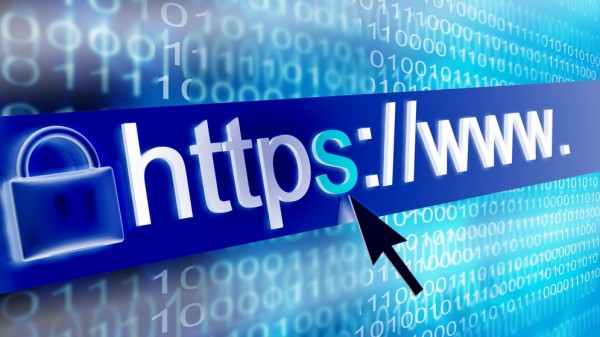
One of the easiest and most essential verifications is to check for the presence of the HTTPS and lock icon in the browser bar.
While not strictly an indicator of security, it is essential for secure forms and sensitive transactions. Clicking on the “lock icon” will give you information about the certificate and let you check the identity of the owner of the website. If a website doesn’t use https, especially in checkout, that should be a red flag before entering your credit card and personal info.
Looking for reviews or reputation scores available through independent community-based platforms is another step you can take. Websites such as VirusTotal let you to pass a URL to view a compilation of results from various malware engines, indicating if the website has been identified as malicious for, phishing, or other forms of malicious activities.
Additionally, services such as PrivacyScore, among other projects, test the privacy measures of websites with significant sample sizes to offer a view into risks that are not immediately apparent by visiting the website.
Checking a site’s design and content quality can also reveal red flags. Many scam or low quality sites have poor spelling, use inconsistent branding, although the arrival of AI is changing that.
They also avoid providing clear contact details. A lack of a verifiable physical address or contact phone number on a commercial site can be an early warning sign that what you are looking at may not be trustworthy. Even when tools rate a site as safe, use your judgement if something looks hastily constructed or suspicious.
New risks
Online threats evolve rapidly, and recent technology trends have created fresh complexities. For instance, a cybersecurity report highlighted that some AI-powered web browsers struggle to distinguish legitimate sites from malicious ones and may unwittingly interact with phishing pages or fake shops without raising obvious alerts to users.
This shows that human judgement and multiple layers of safety tools remain necessary, even as artificial intelligence promises convenience.
Browser extensions and add-ons themselves can pose risks. A recent spyware campaign affected millions of users by transforming seemingly harmless browser extensions into malware via updates that injected code capable of tracking browsing and facilitating credential theft.
This shows why reputable security tools and regular monitoring are vital to prevent extensions from undermining your safety.
Putting It All Together
To tell if a website is safe, use a layered approach:
- Check the padlock and HTTPS in the address bar.
- Use browser safety tools with good reputations, such as browser based security extensions and independent scan services.
- Look up the site’s reputation on multiple platforms, rather than relying on a single metric.
- Examine site design quality, contact details, and business transparency.
- Keep software and tools up to date, and be cautious of unsolicited emails or links that lead to unfamiliar sites.
These steps will not prevent every attack, but they substantially reduce the risk of encountering scams, malware, or identity theft online.
By using a combination of human judgement, established security practices, and well regarded online tools, you can navigate the web with much greater confidence.
Staying aware of how to evaluate a site and which tools are available helps you turn a vague sense of caution into clear, informed decisions about where you can safely click and interact.
Image credit: Jimmi/Shutterstock